 ArtKit
What is a wallet?
What a wallet is, when you need one and how to keep it secure.
What is a wallet? Do I need one? #
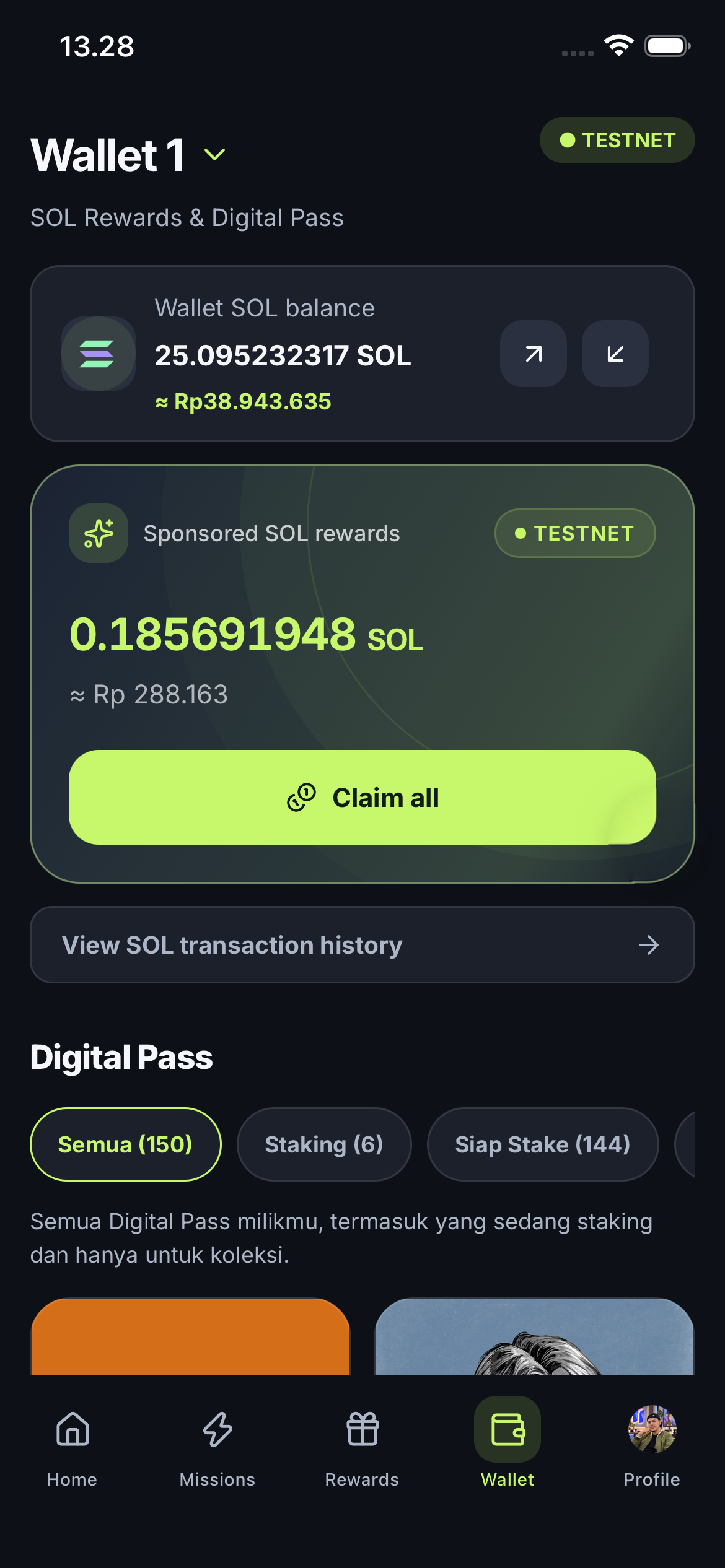
A wallet is your way to access assets on Solana, such as NFT Digital Passes and SOL rewards. It is separate from your ArtKit account: signing in with Google or Apple is enough to use communities, Points missions and rewards without creating a wallet.
- You only need a wallet for blockchain actions, such as receiving or sending SOL, owning an on-chain Digital Pass or staking.
- Open the Wallet tab and tap Add Wallet to create a wallet or import one you already have.
- If you are new to crypto, select Create a new wallet and follow the instructions.
ArtKit Mobile · 10 November 2026
Captured from the @fityanaula demo account in the iOS Simulator, with the owner’s permission. Photos, balances and collections reflect the app at capture time. TESTNET SOL is simulated. Open an image to view it at full size.
Keep access to your wallet safe #
Wallet keys are held on the device. A 12-word recovery phrase or private-key backup, when available for that wallet, restores signing access. A public address alone is read-only. Signing in with Google or Apple does not restore local signing keys.
- Never share your recovery phrase or private key, even with someone claiming to be an ArtKit administrator.
- Use a personal backup or optional encrypted backup and store its recovery key separately.
- A read-only wallet can show assets but cannot approve transfers or staking.
Backup Center and encrypted recovery #
On Android and iOS, Backup Center can create one encrypted .artkitbackup file for all ready local wallets. Cloud Recovery also supports an individual wallet backup. Save the file through the device’s sharing or file menu, and keep its 64-character hexadecimal recovery key separately.
- Drive/iCloud storage is optional; ArtKit does not upload a backup automatically.
- Restore by choosing the backup file and entering its recovery key. File and key are both required.
- Android does not connect directly to iCloud; download the file first. File backup is unavailable in the web preview.
Send, receive and check history #
To receive SOL, match the address and network. Before sending, review the recipient, amount, network fee and signing wallet in the confirmation. If a transaction is pending, check history before trying again.
- Never send a recovery phrase or private key to an administrator, form or chat.
- Signing in again does not guarantee recovery of local wallet keys.
- Test SOL cannot be used as mainnet SOL.